
Editorial Disclosure: This article may contain affiliate links. We may earn a commission if you make a purchase, at no extra cost to you. Additionally, this content was drafted with the assistance of AI technology, but has been rigorously reviewed, fact-checked, and edited by our editorial team to ensure accuracy and quality.
Quick Answer
This HubSpot CRM for Insurance Agents — Honest Review finds that HubSpot is a powerful sales-and-marketing machine for growth-focused agencies, but it was never built for insurance, so you’ll pay extra to bend it into shape.
- Price: The core CRM is $0 for unlimited users, but serious automation jumps to $100/seat/month plus a one-time $1,500 onboarding fee.
- Best fit: Agencies that live on inbound leads and email follow-up, not policy administration.
- Biggest gap: No native commission tracking, ACORD forms, or carrier downloads.
- Our rating: 4 out of 5 for sales teams, closer to 2.5 out of 5 if you need a true agency management system.
If you’re an insurance agent comparing tools right now, the HubSpot CRM for insurance agents debate usually comes down to one question: are you buying a sales engine or a back-office system? Those are not the same thing. HubSpot is brilliant at the first job and clumsy at the second. We’ve set up CRMs for agencies of every size, and the pattern repeats. The shops that love HubSpot use it to close leads faster. The shops that regret it expected it to run their renewals and commissions. This review will show you exactly which camp you’re in before you spend a dollar.
What HubSpot CRM Actually Is (and What It Is Not)
Let’s clear up the biggest source of confusion first. HubSpot is a general-purpose CRM. It’s not insurance software. That single fact explains almost every pro and con in this entire review.
A Sales Platform Wearing a CRM Badge
At its heart, HubSpot organizes people, deals, and conversations. You get contact records, deal pipelines, email tracking, and automation. It’s the same engine a software startup or a real estate team would use. For an insurance agent, that means you can track a prospect from first click to bound policy beautifully. What you can’t do out of the box is store a policy number, link a carrier, or calculate a commission split. HubSpot treats a policy like a generic “deal,” and you’ll spend setup time teaching it the words your business actually uses.
Why “CRM” and “AMS” Are Not the Same Thing
Here’s the distinction that trips up most agents. An Agency Management System (AMS) like Applied Epic or AMS360 handles policies, carrier downloads, certificates, and accounting. A CRM handles relationships and sales. HubSpot is firmly in the second group. When we audited a 14-person commercial lines agency last year, they’d tried to replace their AMS with HubSpot and ended up double-entering every policy by hand. The harsh reality we found was that they’d bought a race car to haul lumber. Great machine. Wrong job.
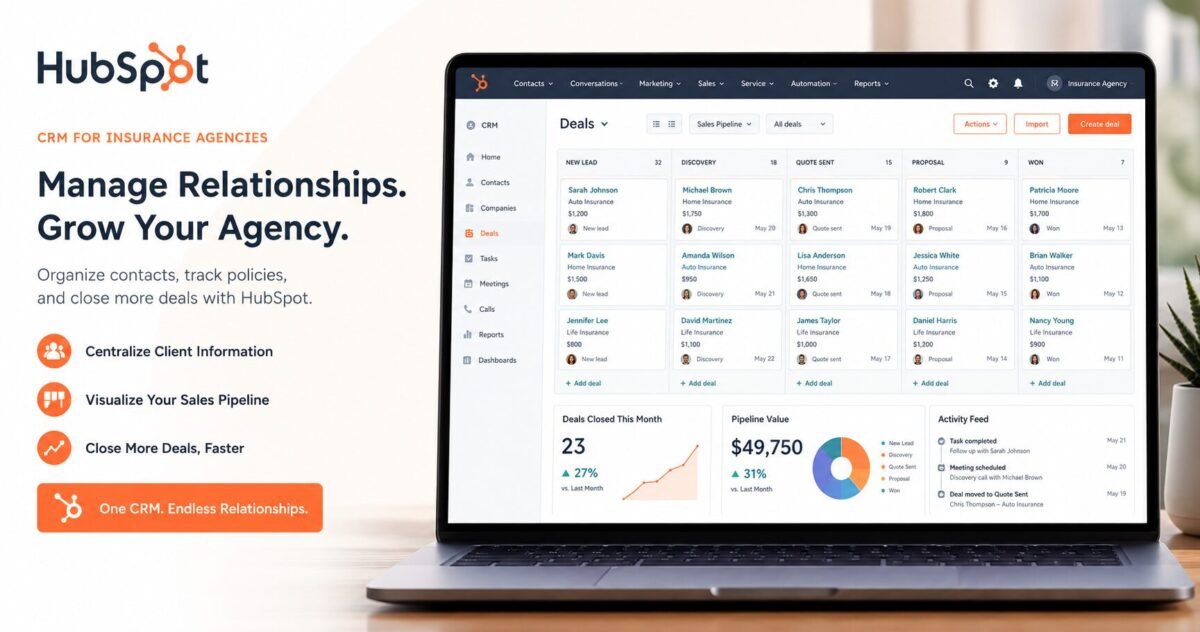
Table of Contents
Why Insurance Agents Are Considering HubSpot in the First Place
So if HubSpot can’t run your back office, why are so many agents curious about it? Because the front office is where most agencies bleed money. Legacy systems are fantastic at storing policies and terrible at winning new ones.
Legacy AMS Tools Stink at Selling
Ask any producer what they think of their AMS, and you’ll hear words we can’t print here. These systems were built to manage policies, not nurture prospects. They rarely send automated email sequences, they don’t score leads, and their reporting is stuck in 2009. HubSpot, by contrast, does all of that on day one. That’s the magnet. Agents see slick automation and modern dashboards and immediately want it.
The Math on Lost Leads Is Brutal
Retention and follow-up are where the money hides. The insurance industry carries one of the highest customer acquisition costs anywhere; it costs an average of seven to nine times more for an agency to win a new customer than to keep an existing one, according to Insurance Thought Leadership. A CRM that automatically reminds you to call before a renewal lapses pays for itself fast. If you want a wider view of the category before deciding, our guide to the Best Insurance CRM Software in 2026 compares the field side by side.
Key HubSpot CRM Features That Matter Most to Insurance Agents
Now the good stuff. When HubSpot fits, it fits because of a handful of features that genuinely move the needle for a sales-driven agency. Here are the ones worth your attention.
Pipelines, Contacts, and Automated Follow-Up
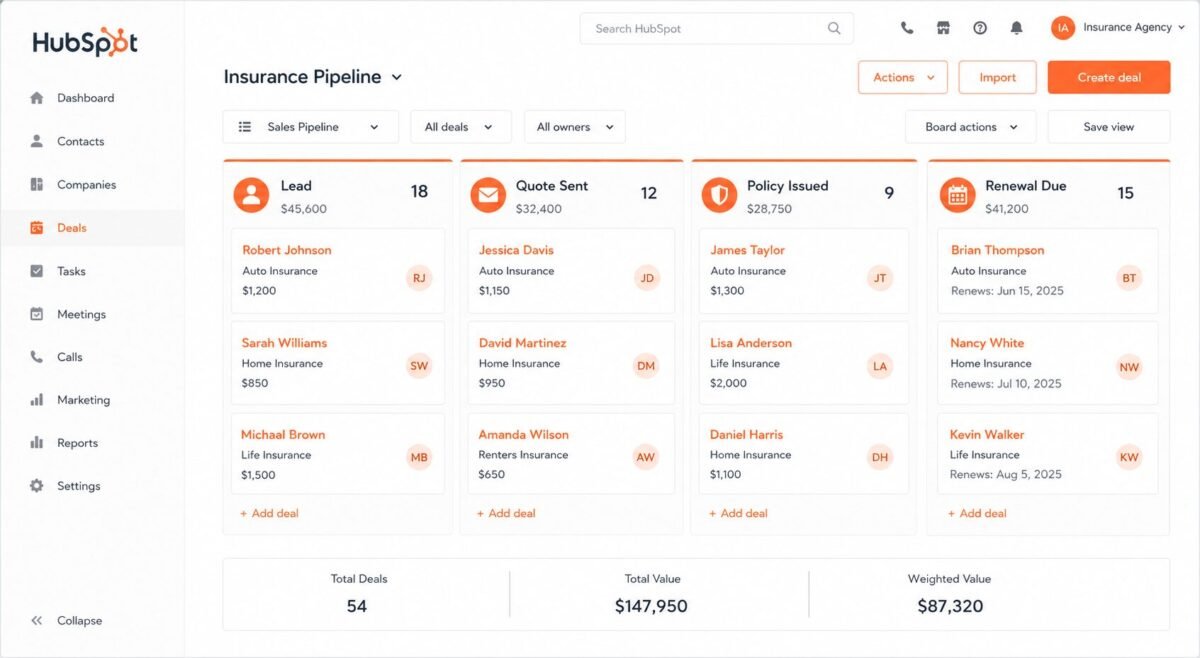
You can build a custom pipeline for new business with stages like “Quote Sent,” “Underwriting,” and “Bound.” Every lead sits in one view. Then comes the killer feature: sequences. Set up a five-email follow-up once, and HubSpot sends it to every new prospect automatically. A solo health agent we worked with stopped losing Medicare leads to slow callbacks simply because the system nudged people while she slept. That’s the kind of win HubSpot delivers easily.
Reporting That Actually Tells You Something
HubSpot’s dashboards show close rates, lead sources, and producer performance in plain English. You can finally answer “which marketing actually works?” without exporting to a spreadsheet. HubSpot reports that 84% of its Sales Hub customers see increased revenue, per the company’s own Sales Hub data. Take vendor stats with a grain of salt, sure. But the visibility is real, and for agencies flying blind on ROI, it’s a genuine upgrade.
Adapting HubSpot to Insurance – Specific Workflows
This is the make-or-break section. HubSpot doesn’t speak insurance natively, so you have to teach it. How hard that is depends on what you sell and how complex your book is.
Custom Properties and Renewal Reminders
You can add custom fields for policy type, premium, carrier, effective date, and renewal date. Then you build a workflow that fires a task 60 days before renewal. Done well, this turns HubSpot into a respectable renewal-tracking tool. The setup isn’t hard, but it isn’t instant either. Budget a weekend, or hire a partner, to get the fields and automations right before you trust it with live clients.
Where the Bridges Get Shaky
Here’s where the cracks show. HubSpot won’t pull carrier downloads, generate ACORD forms, or track split commissions. Many agents patch these gaps with Zapier, connecting HubSpot to other tools. That works for simple needs. It gets fragile fast when you stack five integrations and one breaks at renewal season. If your workflow leans heavily on policy administration, read our Salesforce Insurance CRM Review, since Salesforce’s Financial Services Cloud was actually designed with these workflows in mind.
HubSpot CRM Pricing for Insurance Agencies: The Real Numbers
Let’s talk money, because the headline “free” hides a lot. HubSpot’s pricing is published clearly. What you’ll actually pay is a different story.
The Free Tier vs. the Paid Reality
HubSpot’s core CRM is permanently free for unlimited users, and a solo agent can genuinely run a small book on it. But the moment you want unlimited automation, custom reporting, and no HubSpot branding, the price climbs. The Starter tier runs about $20 per seat per month, while Sales Hub Professional jumps to $100 per seat per month and adds a one-time onboarding fee of $1,500. For a five-producer agency, that’s real budget.
When the Bill Gets Scary
Push into Enterprise and marketing tools, and the numbers spike. Sales Hub Enterprise is around $150 per seat per month with a $3,500 onboarding fee, and Marketing Hub Professional starts near $890 per month plus a $3,000 onboarding charge. These figures are accurate as of 2026, but always confirm on HubSpot’s official pricing page before you commit, since they revise tiers often. The lesson? “Free CRM” is a great front door to an expensive house.
The Hidden Costs of Running HubSpot in an Insurance Agency
The sticker price is only half the story. The costs that actually surprise agencies aren’t on any pricing page. They show up later, quietly, and they add up.
Time, Training, and Tier Creep
Setting up HubSpot for insurance takes weeks, not hours, once you account for custom fields, workflows, and data migration. Then you have to train staff who’d rather keep using sticky notes. And watch out for “tier creep.” HubSpot prices by contacts and seats, so as your list grows, you get nudged into pricier plans whether you planned to or not.
The Integration Tax
Every gap HubSpot doesn’t fill natively becomes a paid add-on. Zapier connections, dialer tools, e-signature apps, commission trackers. Each one carries its own monthly fee. We’ve seen a “$100 CRM” balloon to a $600 monthly stack once an agency bolted on everything it needed. Add that up before you sign, not after. The real question isn’t the HubSpot price. It’s the total cost of the whole toolkit.
HubSpot CRM Pros & Cons for Insurance Agents
Time for the honest scorecard. No CRM is perfect, and pretending otherwise helps nobody. Here’s where HubSpot wins and where it stumbles for an insurance agent.
The Strengths
- Generous free tier that solo agents can actually use.
- Best-in-class automation and email sequences for lead nurture.
- Clean, modern interface your team will actually open.
- Powerful reporting on close rates and lead sources.
- Scales as your agency grows.
The Weaknesses
- Not built for insurance — no policy management or ACORD forms.
- No commission tracking out of the box.
- No carrier downloads or integrations.
- Gets expensive fast beyond the free tier.
- Heavy customization burden to fit agency workflows.
The pattern is clear. HubSpot rewards agencies that sell aggressively and punishes those expecting an all-in-one office system.
Real-World Scenarios: Success vs. Failure
Theory only gets you so far. These two cases, drawn from common agency setups we’ve seen, show how the exact same software produces wildly different outcomes.
Success: The Lead-Hungry Life Agency
A six-person life and final-expense agency was buying online leads but closing under 8%. Leads went cold because nobody followed up fast enough. They moved to HubSpot Sales Hub Professional, built a seven-touch email-and-text sequence, and added renewal reminders. Within four months, close rate climbed to roughly 14%, and their cost per acquired client dropped by nearly a third. Key Lesson: HubSpot shines when your bottleneck is follow-up speed, not policy admin.
Failure: The Commercial Lines Shop That Wanted an AMS
A 14-person commercial agency tried to replace its aging system with HubSpot to save money. Big mistake. With no carrier downloads or commission tracking, staff hand-entered policies and rebuilt commission math in spreadsheets. Productivity tanked. After eight frustrating months and thousands in wasted fees, they moved policy work back to a real AMS and kept HubSpot only for sales. Key Lesson: HubSpot is a sales layer, not a replacement for your agency management system. Use it for what it’s good at.
HubSpot vs. Insurance-Specific CRMs
So how does HubSpot stack up against tools actually built for insurance? It depends entirely on whether you value sales firepower or industry-native plumbing. Here’s an honest side-by-side.
How the Main Contenders Compare
The table below lines up HubSpot against three popular options agents weigh against it. Notice the trade-off: the more insurance-native a tool is, the less flexible its marketing usually feels.
| Tool | Best For | Insurance-Native? | Starting Price | Biggest Gap |
|---|---|---|---|---|
| HubSpot CRM | Sales & marketing automation | No | $0 (free tier) | No policy or commission tools |
| AgencyBloc | Life & health agencies | Yes | ~$70/user/month | Weaker inbound marketing |
| Applied Epic | Larger P&C agencies | Yes | Custom quote | Dated interface, steep cost |
| Salesforce FSC | Enterprise customization | Partly | ~$25/user/month+ | Complex, needs an admin |
Reading the Trade-Off
AgencyBloc speaks insurance fluently but won’t run a marketing campaign like HubSpot can. Applied Epic is the heavyweight for big P&C shops, with a price and learning curve to match. Salesforce sits in the middle, flexible but demanding. HubSpot wins on ease and marketing, loses on industry fit. There’s no universal “best,” only the best for your specific bottleneck.

Our Honest Verdict: Should You Choose HubSpot?
After all of that, where do we land? The HubSpot CRM for insurance agents question has a clear answer, and it’s not a flat yes or no. It’s “yes, if.”
Who Should Buy It
If you’re a producer-driven agency that lives on inbound leads, online quoting, and follow-up, buy it. Start on the free tier today, prove the workflow, then upgrade to Professional when the automation limits pinch. You’ll likely see faster close rates within a quarter. For solo agents and small teams obsessed with growth, HubSpot is hard to beat.
Who Should Walk Away (or Go Hybrid)
If you need policy management, carrier downloads, and commission tracking, HubSpot alone will frustrate you. The smart play for many agencies is hybrid: keep a real AMS for the back office and use HubSpot purely as the sales-and-marketing layer on top. That combo gives you the best of both without forcing one tool to do a job it was never designed for.
Frequently Asked Questions
Is HubSpot CRM really free for insurance agents?
Yes, genuinely. The core CRM costs nothing and supports unlimited users, contact management, and basic pipeline tracking, which is enough for a solo agent or a brand-new agency. The catch is that the free version includes HubSpot branding and caps automation. The moment you want unlimited email sequences, custom reporting, or branding removed, you move to a paid tier starting around $20 per seat and climbing to $100 per seat for serious sales tools. So “free” is real, but most growing agencies outgrow it within a year.
Can HubSpot track insurance policies and commissions?
Not natively, and this is the single most important thing to understand. HubSpot has no built-in concept of a policy, a carrier download, or a commission split. You can fake it with custom properties, storing policy type and renewal dates as data fields, but it won’t calculate your commissions or pull data from carriers automatically. Agencies that need true policy administration either keep a dedicated AMS alongside HubSpot or choose insurance-native software instead. Trying to force HubSpot to be your AMS is the number-one regret we hear from agents.
Is HubSpot better than insurance-specific CRMs like AgencyBloc?
It depends on your bottleneck, and anyone who gives you a blanket answer is selling something. HubSpot beats insurance-specific tools on marketing automation, ease of use, and reporting by a wide margin. Tools like AgencyBloc or Applied Epic beat HubSpot on policy management, compliance, and commission tracking because they were built for it. If your pain is “we lose leads,” lean HubSpot. If your pain is “we can’t manage our book,” lean insurance-native. Many agencies end up running both.
How long does it take to set up HubSpot for an agency?
For basic use, you can import contacts and start tracking deals in an afternoon. For a setup that actually fits insurance, with custom policy fields, renewal-reminder workflows, and email sequences, plan on one to three weeks of focused work, or hire a certified HubSpot partner to speed it up. The biggest time sink is data migration and team training, not the software itself. Rushing setup is how agencies end up with a messy database they don’t trust, so build it right before going live.





Leave a Reply