
Editorial Disclosure: This article may contain affiliate links. We may earn a commission if you make a purchase, at no extra cost to you. Additionally, this content was drafted with the assistance of AI technology, but has been rigorously reviewed, fact-checked, and edited by our editorial team to ensure accuracy and quality.
Quick Answer
How to file a claim with next insurance, log in to your account at nextinsurance.com or via the mobile app, navigate to the Claims section, complete the incident report, upload your supporting documents, and submit — the whole process takes under 15 minutes online.
- Average claims processing time: 3 to 7 business days for straightforward cases
- Documentation required: Incident date, photos, third-party info, invoices, and police report (if applicable)
- Claims available for: General Liability, Professional Liability, Commercial Auto, Workers’ Comp, and Tools & Equipment policies
- Primary filing channel: 100% digital — no phone calls or fax machines required
What Is Next Insurance and What Policies Does It Cover?
Next Insurance is a digital-first small business insurer founded in 2016. It targets contractors, freelancers, and small business owners who need affordable, fast coverage without the paperwork nightmare of traditional brokers. If you want the full picture of what they offer, start with this full Next Insurance guide before diving into the claims process.
Coverage Types That Support Active Claims
Not every policy works the same way when it comes to filing. Here’s what each major policy covers in a claims context:
- General Liability: Third-party bodily injury and property damage. This is the most commonly claimed policy. Read more about the GL claims process specifically if this is your situation.
- Professional Liability (E&O): Covers claims of negligence or failure to deliver professional services.
- Commercial Auto: Accidents involving business-use vehicles.
- Workers’ Compensation: Employee injuries on the job.
- Tools & Equipment: Theft or damage to your business tools.
Who Can Actually File a Claim?
Only the named insured on the policy can initiate a claim. If you’re a subcontractor added as an additional insured, you’d need to go through the primary policyholder. This is a detail that trips a lot of people up, especially on job sites with multiple contractors. If you haven’t already, make sure you get your COI before filing — it confirms your coverage details and is often requested during the claims review anyway.
According to the National Association of Insurance Commissioners (NAIC), small business owners are significantly underinsured, with nearly 40% lacking adequate liability coverage at the time of a loss event. That makes knowing your policy inside-out before an incident even more important.

Table of Contents
Before You File — What You Need to Prepare
Walking into the claims portal unprepared is one of the biggest reasons claims get delayed or denied. Spend 20 minutes gathering everything before you click “Submit.” It’s worth it.
Documents and Evidence You Must Collect
The claims adjuster reviewing your case is looking for a complete, coherent story. Your job is to make that story easy to follow. Here’s your pre-filing checklist:
- Exact date, time, and location of the incident
- Photos or video of damage, injuries, or the scene
- Contact information of any third parties or witnesses
- Relevant invoices, contracts, or work orders
- Police or incident report number (for theft, vandalism, or auto accidents)
- Any written communication from a third party making a claim against you
Reviewing Your Policy Coverage Limits Before Submitting
This step sounds obvious, but most business owners skip it. Log in and open your policy document. Check your per-occurrence limit, aggregate limit, and deductible amount. If your deductible is $1,000 and the damage is $800, filing a claim isn’t just pointless — it may raise your premium at renewal. The deductible is subtracted directly from your payout, so knowing this number upfront sets the right expectations before you invest time in the process. To understand how other policyholders have experienced this exact situation, see what customers say about claims.
Step-by-Step Guide: How to File a Claim with Next Insurance
Here’s the exact process to file a claim with Next Insurance, broken down so there’s no guesswork involved.
Steps 1 Through 4 — Getting Into the System and Submitting
- Log in to your account at nextinsurance.com using your registered email and password. If you’ve forgotten your credentials, use the password reset option — don’t create a new account.
- Navigate to “My Claims” from your dashboard. You’ll see a button labeled “File a New Claim.” Click it.
- Select the relevant policy. If you have multiple policies (e.g., GL and Commercial Auto), pick the one that applies to the incident.
- Complete the incident report form. Be precise. Vague answers like “property got damaged” don’t cut it. Write: “Client’s hardwood floor was scratched during furniture installation on June 3rd at 14 Main St, Austin, TX.” Specificity speeds up adjuster review.
Steps 5 and 6 — Uploading Proof and Working With Your Adjuster
- Upload your evidence. Next Insurance accepts JPG, PNG, and PDF formats. Upload every photo, invoice, and document you gathered. More is better. A claims adjuster once told a colleague of ours reviewing a denied claim that the single biggest issue was “no corroborating documentation” — just a written description with no visual proof.
- Submit and save your claim number. Screenshot it. Write it down. This is your reference ID for every follow-up conversation. After submission, a licensed adjuster is typically assigned within 1 to 2 business days.
Data Table: Next Insurance Claim Types and What to Expect
| Policy Type | Common Claim Example | Avg. Processing Time | Key Document Required |
|---|---|---|---|
| General Liability | Client’s property damaged on job site | 5–7 business days | Photos + repair estimate |
| Professional Liability | Client claims financial loss from your advice | 7–14 business days | Contract + communication records |
| Commercial Auto | Business vehicle collision while on a job | 5–10 business days | Police report + photos |
| Tools & Equipment | Power tools stolen from job site | 3–5 business days | Theft report + purchase receipts |
| Workers’ Compensation | Employee injured on the job | 7–10 business days | Medical report + incident form |
How to File a Claim via the Next Insurance Mobile App
Next Insurance’s mobile app is available on both iOS and Android, and it’s genuinely well-built for a task-specific insurance tool. The mobile experience is nearly identical to the web version, with one major advantage: you can upload photos directly from your camera roll the moment an incident happens, while you’re still on-site.
Mobile Filing Steps
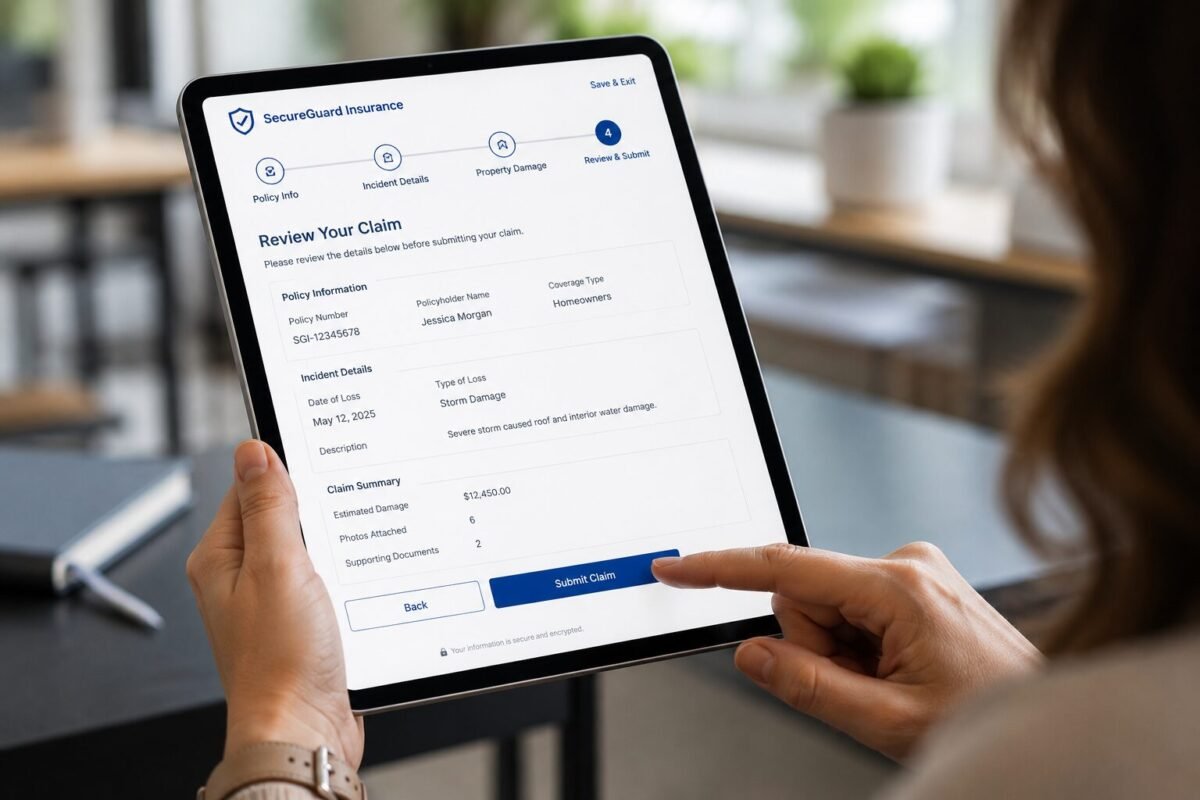
Download the app from the App Store or Google Play and log in with your existing account credentials. From the home screen, tap “Claims,” then “File a Claim.” The form layout is the same as the desktop version. Use your phone’s camera to attach photos directly within the form — no need to transfer files later. Tap “Submit” and you’ll receive a push notification confirming receipt along with your claim ID.
Tracking Your Claim Status on Mobile
The app has a real-time claim tracker. Once your claim is assigned to an adjuster, you can see the current status (Under Review, Additional Info Requested, Decision Pending, or Closed). If the adjuster needs more documentation, you’ll receive an in-app notification. Respond fast — delays on your end extend the timeline on their end. Simple as that.
What Happens After You Submit Your Claim?
Most policyholders file and then go silent, hoping for a check. Don’t do that. The post-submission phase is where your active involvement actually matters.
The Review and Investigation Process
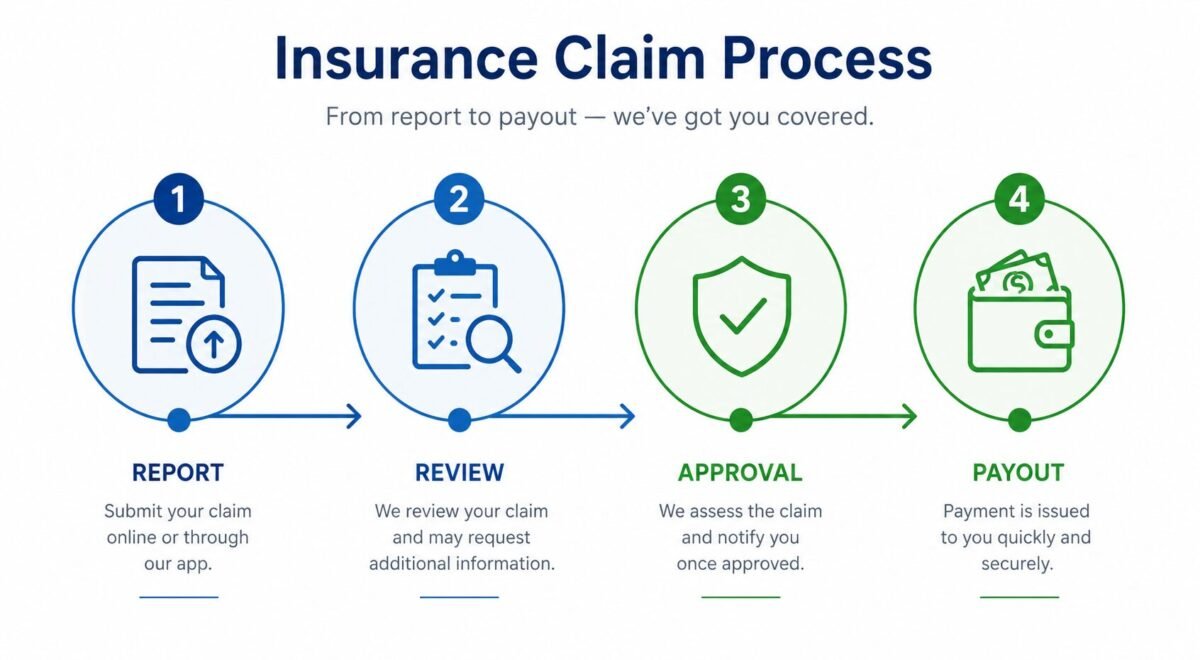
After submission, Next Insurance’s claims team verifies your policy is active, checks that the incident falls within covered events, and assigns a licensed adjuster. The adjuster may contact you by phone or email to clarify details or request additional documentation. Respond within 24 hours where possible. Slow responses are the #1 self-inflicted cause of claims taking longer than necessary.
Timelines and Settlement Payments
According to a Insurance Information Institute report, the average commercial liability claim takes between 7 and 30 days to resolve depending on complexity. Next Insurance’s digital-first model pushes simpler claims — like tools theft or minor property damage — toward the faster end of that range. Payments are issued via direct deposit or check. Large settlements may require a signed release form before funds are disbursed.
Real-World Scenarios: Success vs. Failure
Success Scenario: HVAC Contractor in Texas
A self-employed HVAC technician in Dallas accidentally cracked a client’s custom tile floor while moving equipment — estimated damage of $2,400. He filed a General Liability claim through the Next Insurance app within 48 hours of the incident. He had 11 photos, the original work order, and the client’s written repair estimate ready to upload. The adjuster contacted him within one business day, confirmed coverage, and the $2,400 repair cost (minus his $500 deductible) was paid out in 6 days. Key Lesson: Fast filing + thorough documentation = fast resolution. He walked away paying $500 out of pocket on a $2,400 loss.
Failure Scenario: Freelance Photographer in New York
A freelance photographer had their $3,800 camera kit stolen from a rental vehicle. She filed a claim 19 days after the theft — past the prompt-reporting window most insurers expect. She also had no serial numbers for the equipment and couldn’t produce original purchase receipts for two of the items. Next Insurance’s adjuster couldn’t verify ownership for those items, and the claim was partially denied, resulting in a $900 payout on a $3,800 loss. Key Lesson: Delayed filing and missing documentation can slash your payout dramatically. Keep digital copies of all equipment receipts in cloud storage before an incident ever happens.
Common Mistakes to Avoid When Filing a Claim with Next Insurance
After reviewing how dozens of small business owners have approached the claims process, a clear pattern emerges: most problems are preventable.
The Top Errors That Delay or Kill Your Claim
- Waiting too long to report: File within 24 to 72 hours of an incident. Late reporting raises red flags with adjusters.
- Submitting vague descriptions: “Equipment was damaged” is not an incident report. Be specific about who, what, when, where, and how.
- Not reading your exclusions: Intentional acts, employee dishonesty, and certain professional errors may not be covered under standard GL. Know your exclusions before you assume you’re covered.
- Ignoring adjuster communication: If an adjuster sends a follow-up request and gets no response, your claim can be closed without payment.
The Documentation Habit Every Business Owner Needs
The single best thing you can do right now — before any incident happens — is create a “claims folder” in Google Drive or Dropbox. Store your policy PDF, COI, equipment serial numbers, key contracts, and supplier invoices there. When something goes wrong, you’re not scrambling. You’re uploading. Whether Next Insurance claims are legitimate or not in a given case almost always comes down to what the claimant can prove. See for yourself how the overall platform holds up when you read about whether Next Insurance claims are legitimate.
How to Check Your Claim Status and Communicate with Next Insurance
Staying in the loop isn’t just comfort — it’s strategy. Active claimants get faster resolutions.
Using the Dashboard and App to Track Progress
Log in to your account and click “My Claims” to see the current status of any open claim. Status labels include: Submitted, Under Review, Action Required, Approved, and Closed. If your status reads “Action Required,” stop everything and respond immediately. That label means the adjuster is waiting on you.
When to Escalate and How to Do It
If your claim has been sitting in “Under Review” for more than 10 business days without a status update, reach out via the in-app chat or email support@nextinsurance.com. Clearly reference your claim number and ask for a written status update. If that doesn’t move things forward, request an escalation to a senior claims representative. If your insurer is genuinely dragging its feet unreasonably, state insurance regulators have complaint processes that create formal paper trails — and insurers respond to those quickly. Curious how this compares to a competitor? See how Hiscox handles claims vs Next in a direct comparison.
What to Do If Your Claim Is Denied
A denial isn’t always the end. It’s often the beginning of a negotiation most claimants don’t know they can have.
Why Claims Get Denied
The most common denial reasons include: the incident falls under a policy exclusion, the claim was filed outside the reporting window, there’s insufficient documentation to verify the loss, or the policy had lapsed due to a missed payment. Read the denial letter word for word. It will specify the exact provision used to deny the claim. That’s your roadmap for the appeal.
How to Appeal and When to Get Professional Help
To formally appeal, submit a written dispute within 30 days of the denial, referencing the specific policy language you believe supports your claim. Attach any new evidence that wasn’t included in the original filing. If the appeal is also denied and you believe the denial is wrongful, consult a public adjuster (who works for you, not the insurer) or an insurance coverage attorney. Public adjusters typically charge 10 to 15% of the final settlement, but on a $20,000 denied claim, that’s often worth every dollar.
Frequently Asked Questions
How long does it take Next Insurance to process a claim?
Simple claims — like tool theft with solid documentation — are typically processed in 3 to 5 business days. More complex claims involving Professional Liability or significant property damage can take 7 to 14 business days or longer if investigations are required. Your responsiveness to adjuster requests is the single biggest variable in that timeline.
Can I file a claim with Next Insurance without an online account?
No. Next Insurance is a fully digital insurer, and the claims process requires you to be logged in to your account either on the web platform or mobile app. If you’ve lost access to your account, use the account recovery process before an incident happens. Don’t wait until you’re standing at a damaged job site to realize you can’t get into your account.
Does filing a claim affect my Next Insurance premium or renewal?
It can. A single claim, especially a large one, can result in a premium increase at renewal. Multiple claims within a short period may trigger a non-renewal. That said, small claims near or below your deductible amount are often not worth filing at all — pay out of pocket and protect your claims history. Always weigh the claim value against the potential long-term premium impact.
What is the deadline for reporting an incident to Next Insurance?
Next Insurance’s policy language generally requires “prompt notice” of any incident that could give rise to a claim. In practice, this means you should file within 24 to 72 hours of an incident where possible. Waiting weeks — or worse, months — significantly increases the risk of denial. When you learn how to file a claim with Next Insurance correctly, the reporting timeline is one of the first rules you internalize.
Conclusion
Knowing how to file a claim with Next Insurance before you ever need to is one of the smartest things a small business owner can do. The process is genuinely simple: document the incident thoroughly, log in to your account, fill out the form accurately, upload your evidence, and respond to your adjuster without delay. The business owners who get paid quickly aren’t lucky — they’re prepared. Get your documentation habits in place today, review your policy limits now, and if you haven’t already, take ten minutes to do a full full Next Insurance guide review so you know exactly what you’re covered for before the phone ever rings.






Leave a Reply